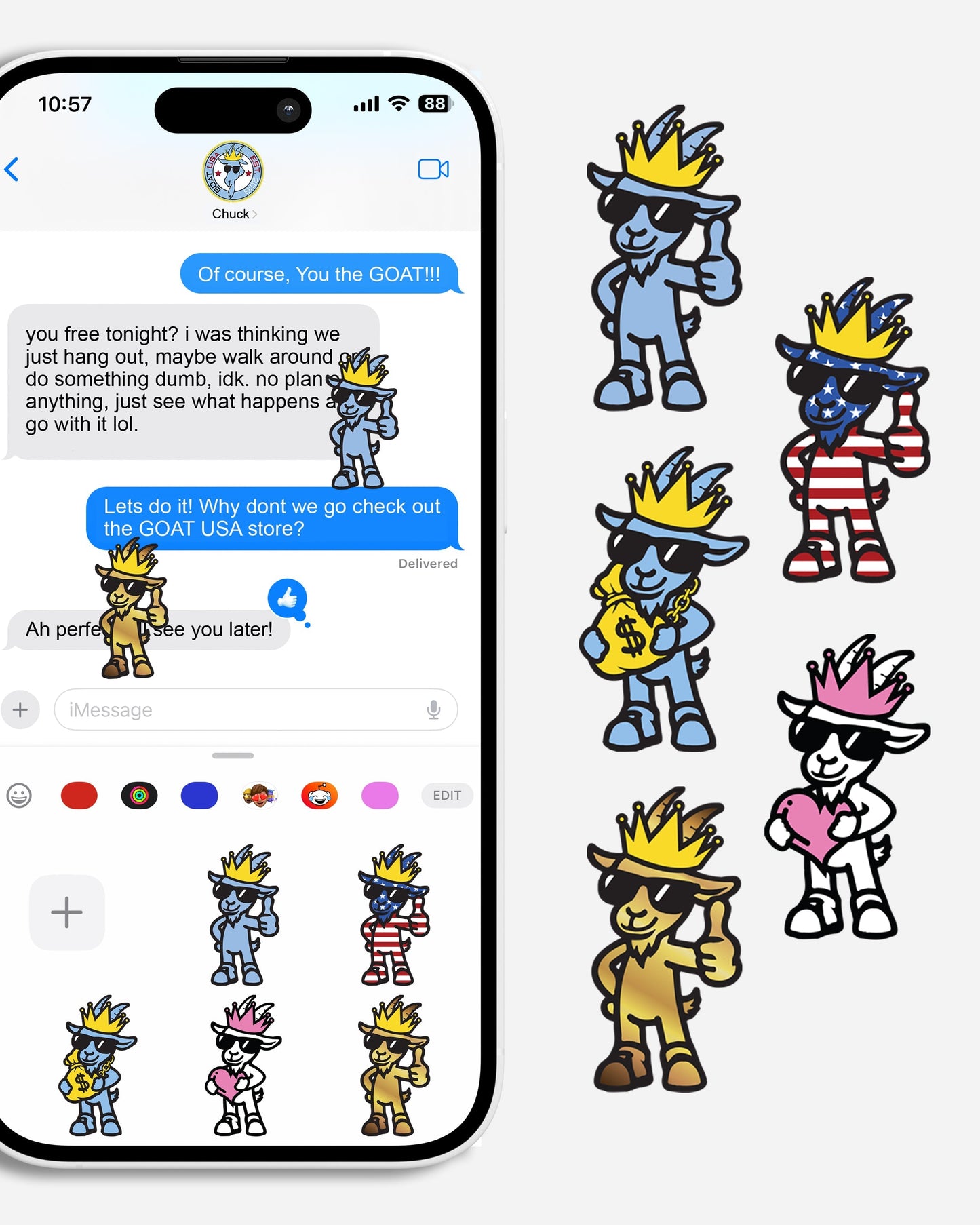
Included are 5 original GOAT USA digital stickers for iMessage.
They’re completely free—just add them to your cart and check out as usual. Once your order is complete, you’ll receive an email with a link to download your digital stickers plus a step-by-step instruction sheet on how to add them to iMessage.
Enjoy your new GOAT USA digital stickers!
How to Add GOAT USA Stickers to iMessage
Download from the Website Choose “Add to Photos” or “Save Image”.
Open the Photos App Find the sticker you just saved in your Camera Roll.
Create a Sticker
Tap the photo to open it.
Tap and hold on the sticker’s image until it “lifts” from the background.
Tap Add Sticker in the popup menu.
Use in iMessage
Open Messages and start a conversation.
Tap the “+” button (iOS 17+) and choose Stickers.
Your GOAT sticker will be there — tap to send or drag onto messages.