Skip to content
Welcome to GOAT USA
Home
Shop All
Tops
Bottoms
Women's
Accessories
Contact
Log in
Facebook
Instagram
Home
Shop All
Tops
Bottoms
Women's
Accessories
Contact
Search
Log in
Cart
Item added to your cart
View cart
Check out
Continue shopping
Skip to product information
Open media 1 in modal
1
/
of
1
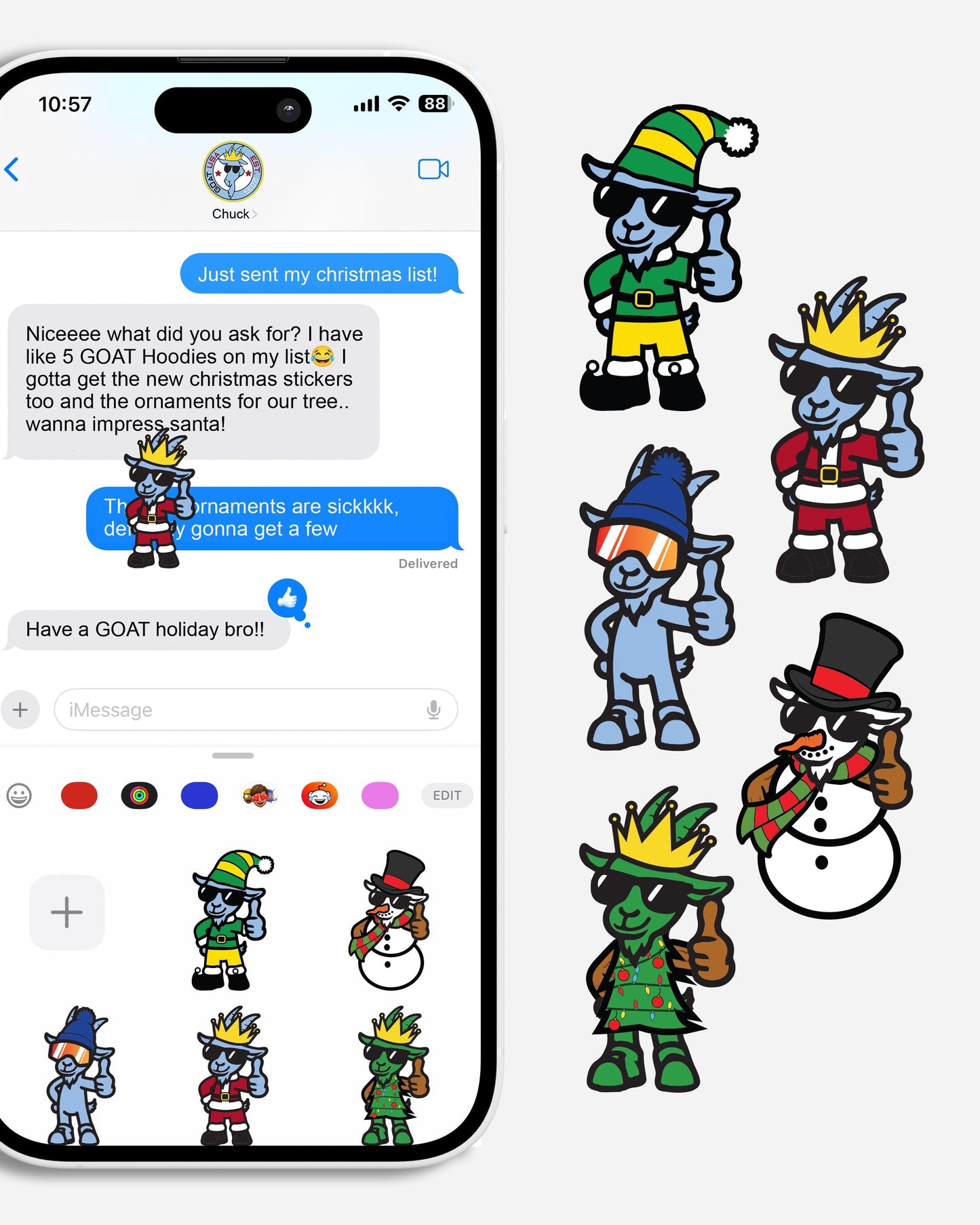
GOAT USA Holiday Digital Stickers
GOAT USA Holiday Digital Stickers
Regular price
$0.00 USD
Regular price
Sale price
$0.00 USD
Unit price
/
per
Sale
Sold out
How to Add GOAT USA Stickers to iMessage
Download from the Website
Choose “Add to Photos” or “Save Image”.
Open the Photos App
Find the sticker you just saved in your Camera Roll.
Create a Sticker
Tap the photo to open it.
Tap and hold on the sticker’s image until it “lifts” from the background.
Tap
Add Sticker
in the popup menu.
Use in iMessage
Open Messages and start a conversation.
Tap the “+” button (iOS 17+) and choose
Stickers
.
Your GOAT sticker will be there — tap to send or drag onto messages.
View full details
Your cart
Product
Product subtotal
Quantity
Price
Product subtotal
GOAT USA Holiday Digital Stickers
GOAT USA Holiday Digital Stickers
$0.00/ea
$0.00
Quantity
Decrease quantity for Default Title
Increase quantity for Default Title
$0.00/ea
$0.00
Loading...
Choosing a selection results in a full page refresh.
Opens in a new window.